

Before you start
In order to understand this guide correctly you must be familiar with some Auth0 Fine-Grained Authorization (FGA) concepts and know how to develop the things that we will list below.What you will be modeling
Google Drive is a system to store, share, and collaborate on files and folders. Source In this tutorial, you will build a subset of the Google Drive permission model (detailed below) in Auth0 Fine-Grained Authorization (FGA), using some scenarios to validate the model.Note: For brevity, this tutorial will not model all of Google Drive’s permissions. Instead, it will focus on modeling for the scenarios outlined below
Requirements
Google Drive’s permission model is represented in their documentation. In this tutorial, you will be focusing on a subset of these permissions. Requirements:- Users can be owners, editors, commenters and viewers of documents
- Documents can be shared with all users in a domain
- Folders can contain documents and users with a certain permission on a folder have that same permission to a document in that folder
- Documents and folders can be shared publicly
Defined scenarios
There will be the following users:- Anne, who is in the xyz domain
- Beth, who is in the xyz domain
- Charles, who is in the xyz domain
- Diane, who is NOT in the xyz domain
- Erik, who is NOT in the xyz domain
- a 2021-budget document, owned by Anne, shared for commenting with Beth and viewable by all members of the xyz domain.
- a 2021-planning folder, viewable by Diane and contains the 2021-budget document
- a 2021-public-roadmap document, owned by Anne, available for members xyz domain to comment on and is publicly viewable
Modeling Google Drive’s permissions
01. Individual permissions
To keep thing simple and focus on Auth0 Fine-Grained Authorization (FGA) features rather than Google Drive complexity we will model only four roles (Viewer, Commenter, Writer, Owner). At the end of this section we want to have the following permissions represented: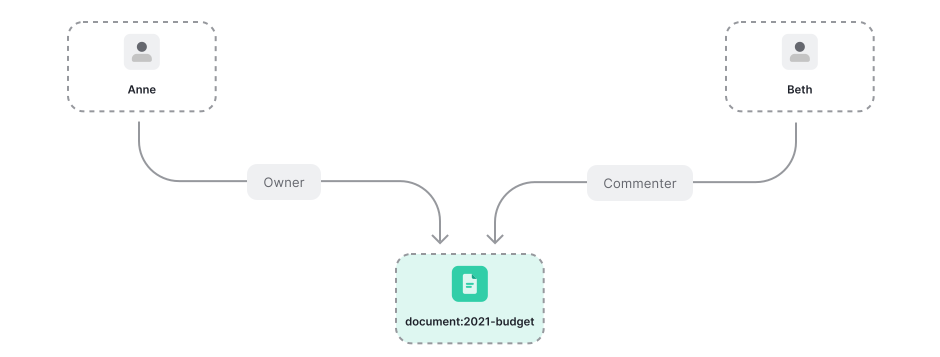 To represent permissions in Auth0 FGA we use relations. For document permissions we need to create the following authorization model:
The Auth0 Fine-Grained Authorization (FGA) service determines if a user has access to an object by checking if the user has a relation to that object. Let us examine one of those relations in detail:
The snippet above indicates that objects of type document have users related to them as “viewer” if those users belong to the userset of all users related to the document as “viewer”.This means that a user can be directly related as a viewer to an object of type “document”
beth is a commenter of document:2021-budget we create this relationship tuple:
We can now ask Auth0 FGA “is beth a commenter of repository document:2021-budget?”
We could also say that anne is an owner of the same document:
And ask some questions to Auth0 FGA:
The first reply makes sense but the second one does not. Intuitively, if anne was an owner, she was also be a writer. In fact, Google Drive explains this in their documentation
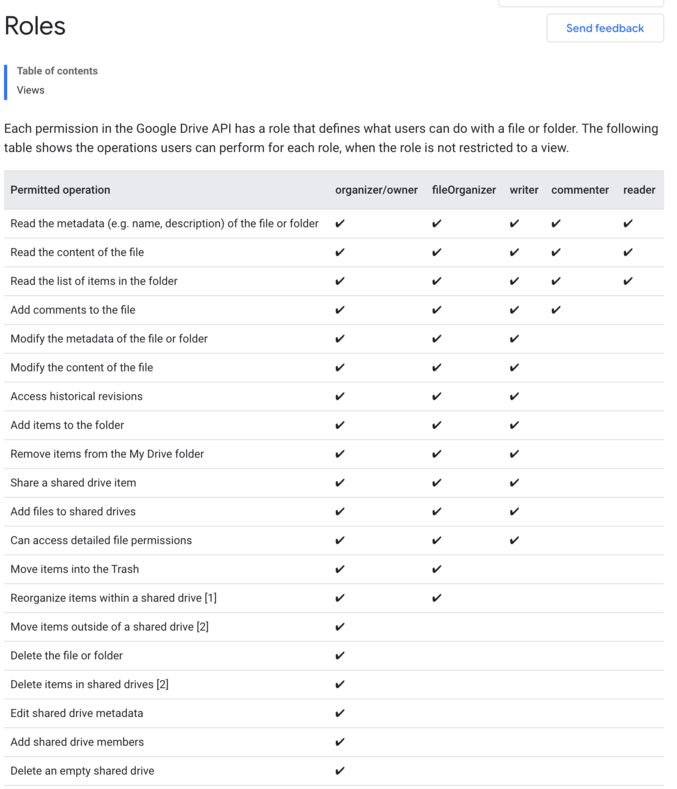 To make Auth0 FGA aware of this “concentric” permission model we need to update our definitions:
Let’s examine one of those relations in detail:objects of type document have users related to them as “viewer”: if they belong to any of (the union of) the following:
- the userset of all users related to the document as “viewer”
- the userset of all users related to the document as “commenter”
02. Organization permissions
Google Drive allows you to share a file with everyone in your organization as a viewer, commenter or writer/editor.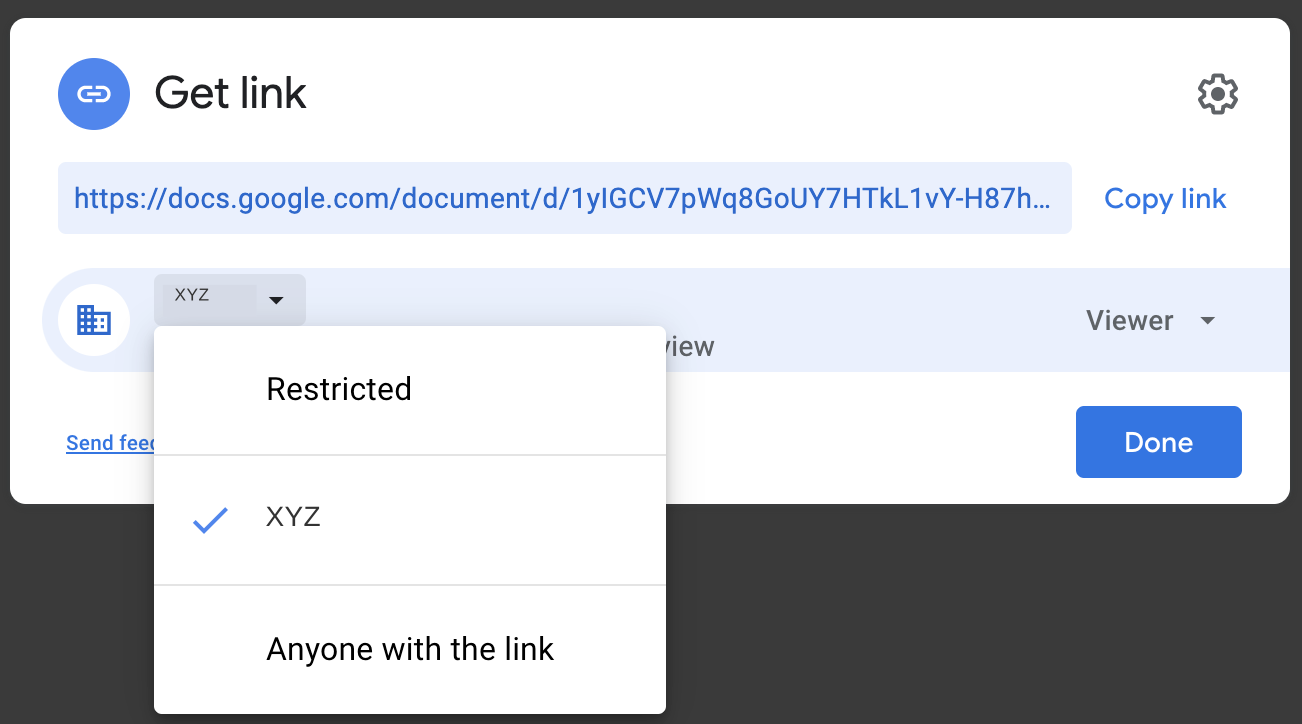 At the end of this section we want to end up with the following permissions represented:
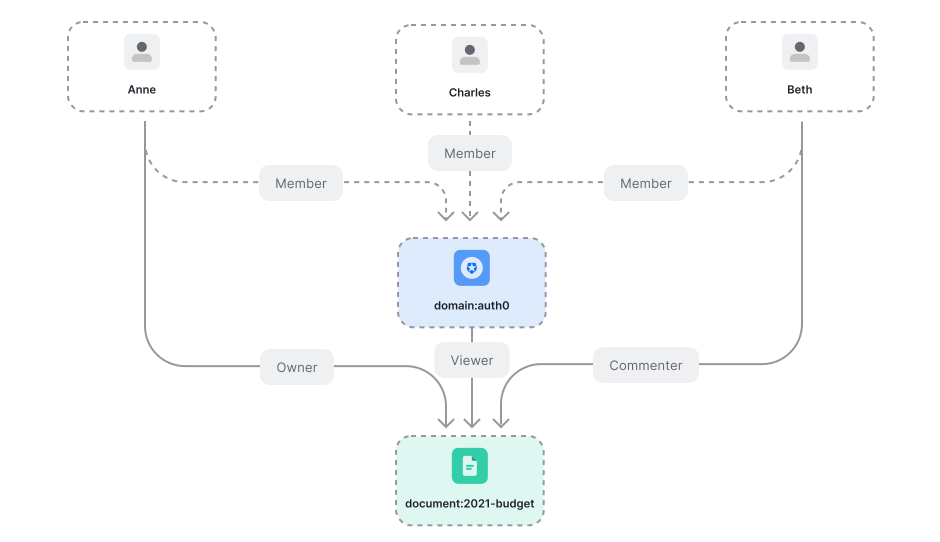 To add support for domains and members all we need to do is add this object to the Auth0 FGA authorization model. In addition, update the model to allow domain member to be assigned to document:
Objects of type “domain” have users related to them as “member” if they belong to the userset of all users related to the domain as “member”.In other words, users can be direct members of a domain.
03. Folder permission propagation
Permission propagation happens between folders and files: if you are a viewer in a folder, you can view its documents. This applies even when you are not explicitly a viewer in a document.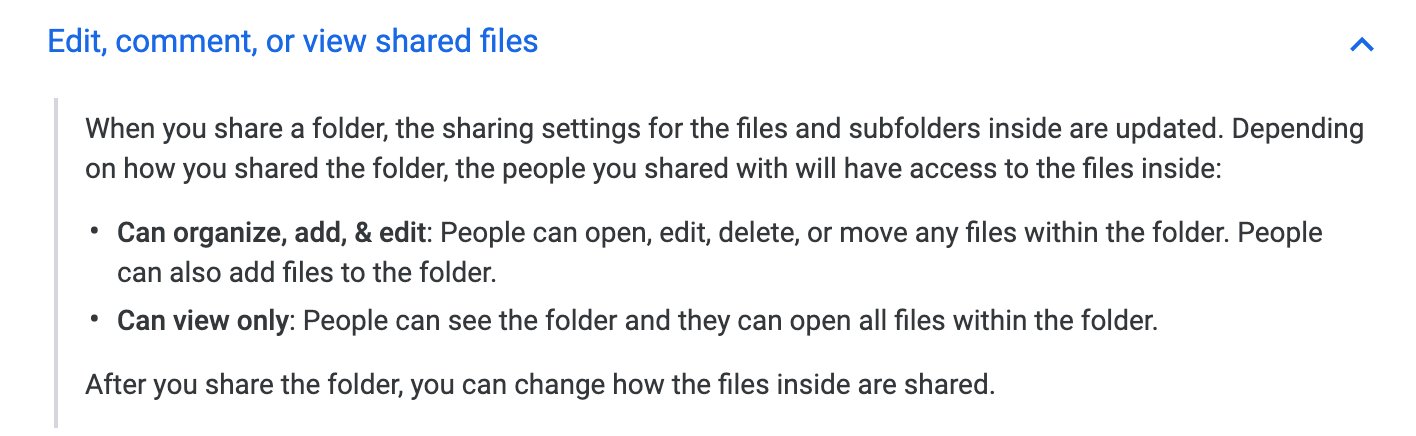 At the end of this section we want to end up with the following permissions represented. Note that a folder is an object in the document type, as we do not need a separate type:
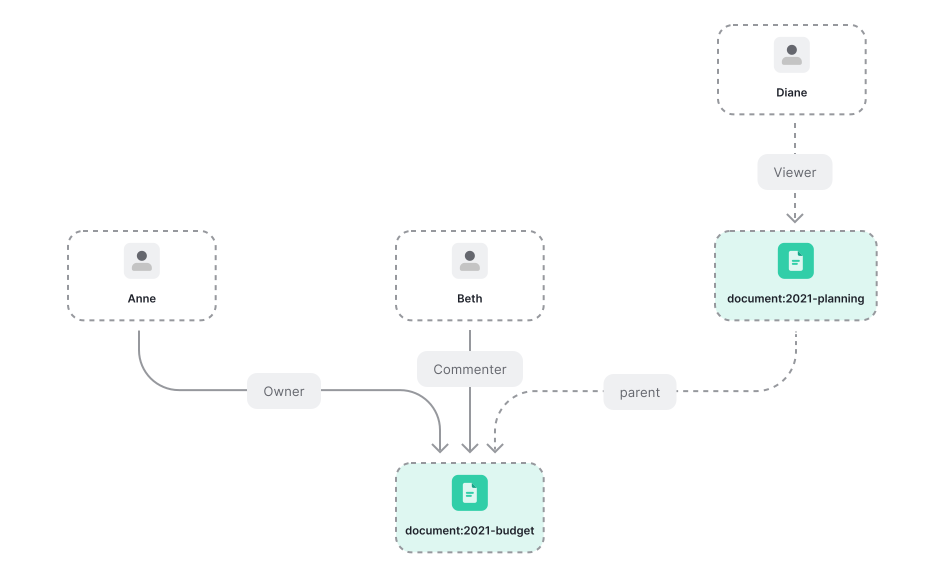 We need to add the notion that a document can be the parent of another document. We know how to do that:
Notice the newly added “parent” relation in the configuration above.
- [done] they have a viewer relationship (directly or through domain membership)
- [pending] they have a viewer relationship with the parent document
The users with a viewer relationship to a certain object of type “document” are any of:
- the “viewers”: the set of users who are directly related to the document as a “viewer”
- the “commenters”: the set of users who are related to the object as “commenter”
- the “viewers of the parents”: from the objects who are related to the doc as parent, return the sets of users who are related to those objects as “viewer”
- read all relationship tuples related to document:2021-budget as parent which returns:
[{ "object": "document:2021-budget", "relation": "parent", "user": "document:2021-planning" }]- for each relationship tuple read, return all usersets that match the following, returning tuples of shape:
{ "object": "document:2021-planning", "viewer", "user": ??? }including: { "object": "document:2021-planning", "viewer", "user": "user:diane" }04. Sharing files and folders publicly
Google Drive has a feature which allows sharing a file or folder publicly, and specifying the permissions a public user might have (writer/commenter/viewer). Assume thatAnne has created a new document: 2021-public-roadmap, has shared it with commenter permissions to the xyz.com, and has shared it as view only with the public at large.
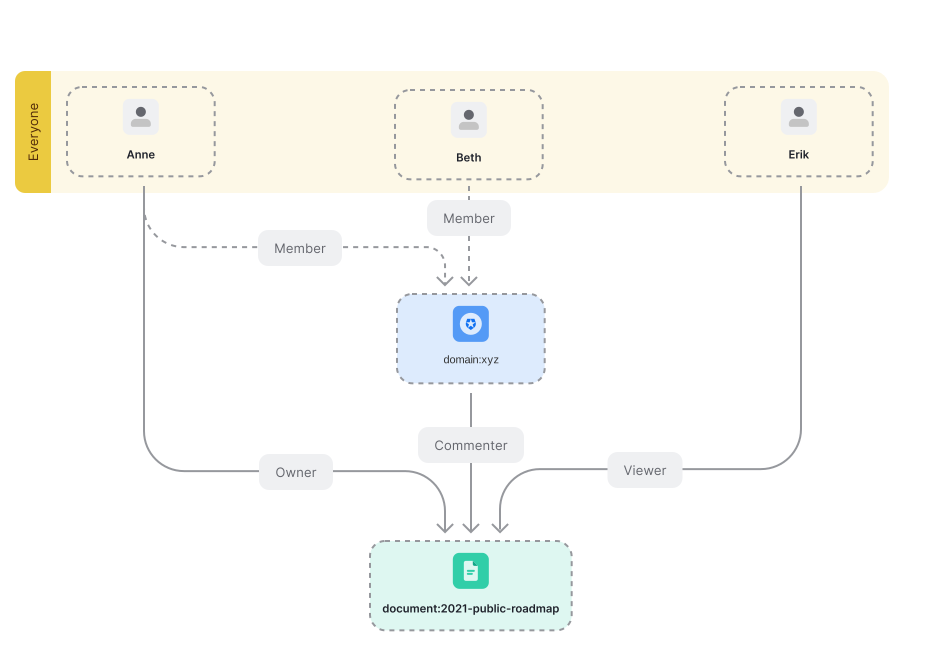 Here’s where another Auth0 Fine-Grained Authorization (FGA) feature, type bound public access (as in everyone), would come in handy.
First, we will need to update our model to allow for public access with type
user for viewer relation.
To mark Anne as the owner, the domain members as commenters and the public as viewers, we need to add the following relationship tuples:
Anne is an owner of the document
Beth is a member of the xyz.com domain, and so can comment but cannot write
Erik is NOT a member of the xyz.com domain, and so can only view the document